 klad
Getting started
Make a drawing, paint on it, then change one of your strokes after you've painted it. It takes about five minutes.
Keys are written the way a Mac shows them. On Windows and Linux, cmd is ctrl.
Get klad
Build klad from source: it is free and takes about ten minutes. Signed builds that install with a double click are planned; klad.studio has the list to hear when. On a Mac the pen gives pressure and tilt, on Windows pressure, and on Linux you draw with the mouse for now.
Make a drawing
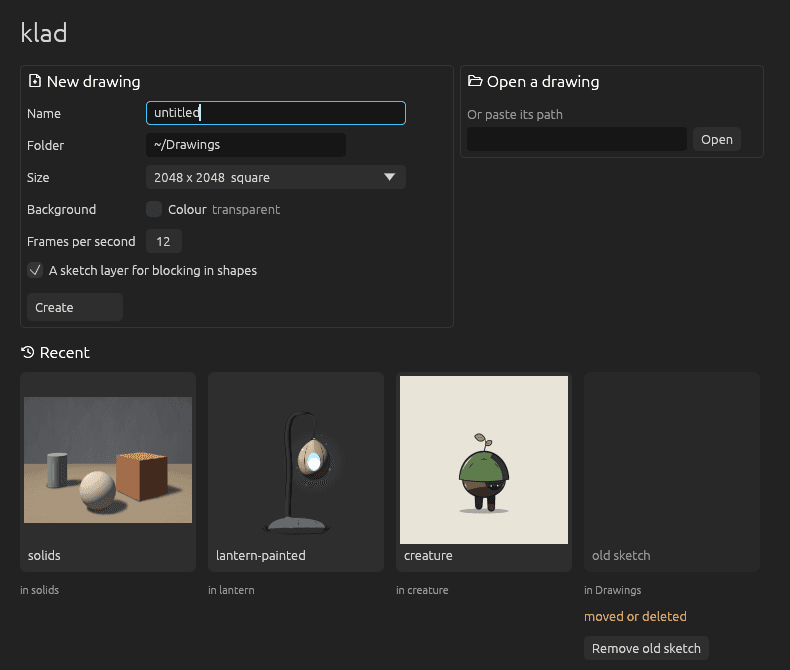
- Start klad and press cmd N.
- Type a name and click Create.
There's no save command: klad writes every change to the drawing as you make it.
Paint, then change a stroke
- Press B and paint a few strokes.
- Press S and click one of them.
- Pick another colour in the Colour pane.
- In the bar next to the selection, click the palette button. The stroke takes the new colour and keeps its shape and pressure.
- Press cmd Z to undo that, and cmd shift Z to redo it.
Every stroke stays editable like this, hours later too: see Changing strokes.
Find your way around
- cmd K finds any command: type a few letters of what you want to do.
- ? lists every key.
- Hold space and drag to pan, pinch or hold cmd and scroll to zoom, and press F to see the whole canvas.
Help > First steps in the editor walks you through a shape, a fill and an agent.
From docs/guide/getting-started.md in klad at main (71b9150).