 klad
Posing with bones
Draw a character once, give it a skeleton and pose it on each frame instead of redrawing it. The skeleton goes on a bones layer of its own, and you tell each drawing layer which bone moves it.
Bones are a preview: posing may still change in later versions, and your drawings keep their rigs when it does.
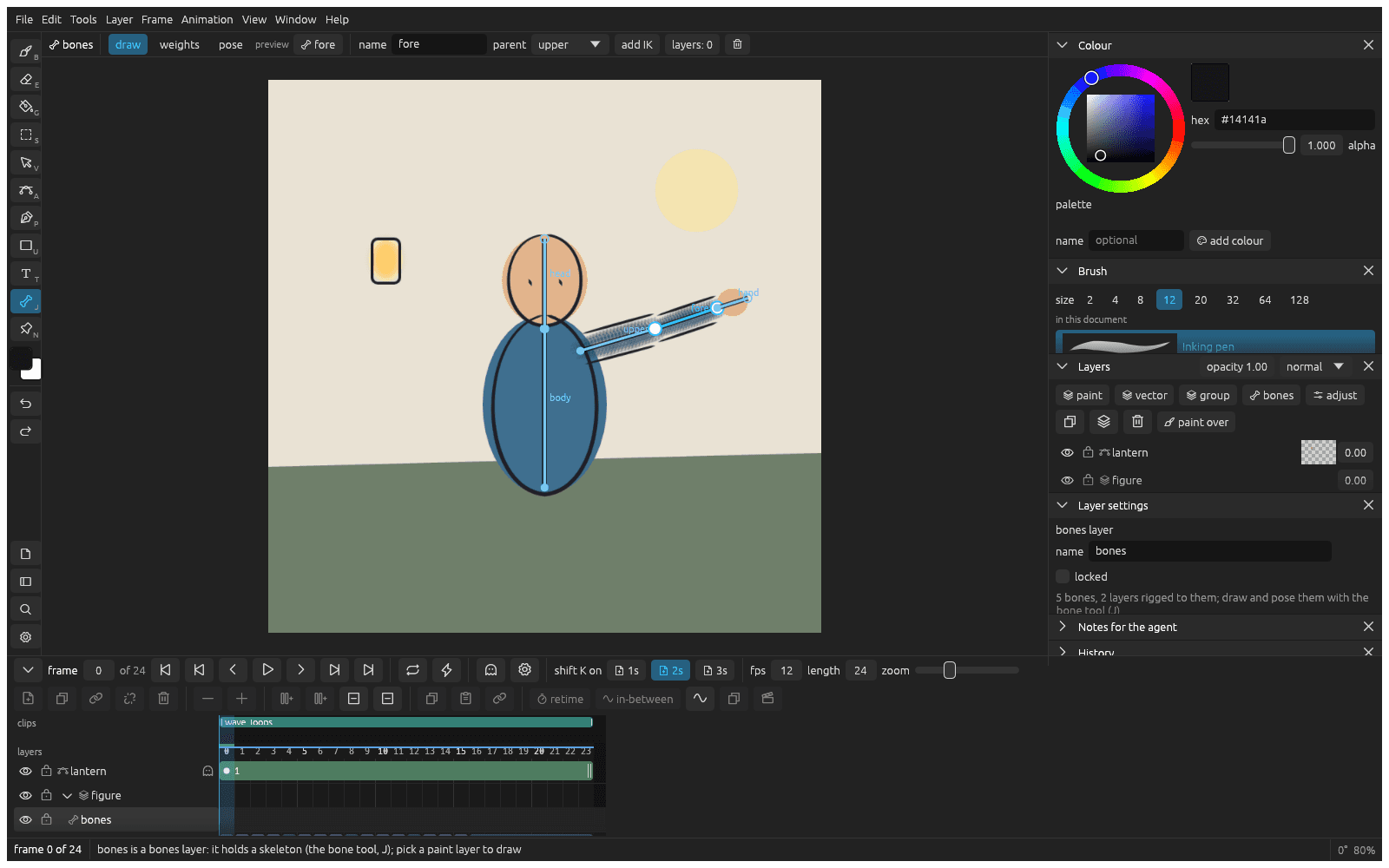
Draw a skeleton
- Click Layer > New bones layer.
- Press J and pick draw in the bar over the canvas.
- Drag from the hips to draw the first bone, click to add the next one, and press Esc to end the chain.
Each bone hangs from the one before it, and turning a bone turns everything that hangs from it, so start in the middle of the body and work outwards. Alt drag from a bone's end to start a branch there, such as an arm off the spine.
Attach the drawing to the bones
Draw each part that stays stiff, like an upper arm, a forearm or the head, on its own paint layer. The layers can sit anywhere in the layers panel.
- In draw, click a bone to pick it.
- Open layers: 0 and tick the layers that move with that bone.
Bend a layer across a joint
Optional, for a part drawn in one piece over a joint, like a sleeve or a tail.
- In the layers panel, click the layer's bone button and pick bends with bones.
- Pick weights in the bar and click automatic.
- Cmd click a bone, then paint where it should move the drawing. Alt paints weight away.
Pose it
- Go to a frame and pick pose.
- Drag a bone's end to turn it. The drawing turns with it as you drag.
- Click make this pose a drawing to keep the pose on this frame.
Nothing is kept until you click it. Poses in-between on the bones (Animating), so a limb swings around its joint instead of sliding.
Let a leg reach
- In draw, pick the shin, open add IK and click make it a limb with thigh.
- In pose, drag the shin's end. Both bones turn so the foot lands where you drag.
If a part doesn't move
- Turning a bone moves nothing: the layer isn't rigged. Its bone button in the layers panel is grey; attach it to a bone.
- Turning the head turns the whole body: the chain started at the head, so everything hangs from it. In draw, pick the head bone and set its parent to the neck or the body.
From docs/guide/bones.md in klad at main (0491491).